Document sharing on Amazon S3
S3Share
Documents and their attachments live in Amazon S3. Territories, access levels and roles decide what each person sees, right down to which folders appear in the menu.
- Draft
- Published
- Archived
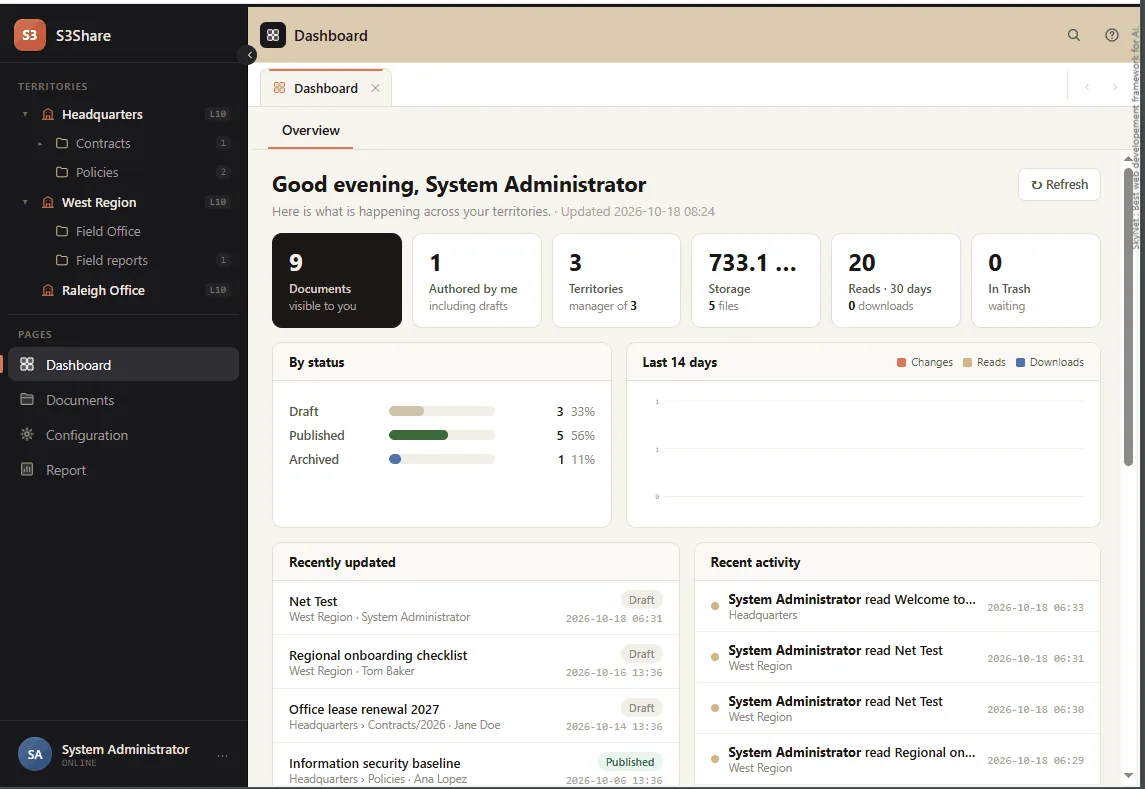
One place for shared documents
A document is a title, formatted text with pictures, and any number of attached files. The text lives in the database; every attachment goes straight to an Amazon S3 bucket over a signed link and comes back the same way. There is no file server to run and nothing to copy between offices.
Everything is scoped. A document belongs to one territory and one folder, carries an access level, and moves through a status of its own. Who may open, edit, archive or delete it follows from those three facts and from the role the person was given.
How it was built
- 4 hrsArchitecture and schema
- 20 hrsVibe coding
- 24 hrsTotal build
S3Share started from an existing SkyNet design rather than a blank page, so the architecture and schema took four hours to adapt instead of weeks to invent. From there, 100% of the implementation code was generated by AI (Claude): the whole application, start to finish, in twenty-four hours.
Four hours adapting a design that already worked, twenty hours of vibe coding, and nothing typed by hand.
Modules
Dashboard
What is happening across your territories: documents visible to you, what you authored, storage used, reads and downloads over thirty days, a fourteen-day activity chart and a live feed.
Documents
A folder browser with search, sorting, paging and CSV export, and an editor for title, formatted text, pictures, access level and status. Attachments upload and download straight to S3.
Report
The audit report. Every change, read and download is logged: who, what, which territory and when. It answers "who has seen this file".
Configuration
Users with two-factor sign-in by email, roles and permissions, the page registry, territories mapped to bucket folders, and options for S3, file types, size limits and Trash.
The menu is built from your permissions
Scroll sideways to see the whole diagram.
Most systems show everyone the same navigation and refuse the click. S3Share builds the navigation itself out of what you are allowed to reach, so a folder you cannot open is not greyed out. It is simply not there.
Drafts are private to their author and to the territory's managers. A manager sees everything in the territory and may move, archive, unarchive and delete any document in it, and create and rename folders. Everyone else works at their own level: a document is edited only by the person who wrote it, though anyone who can see it can take a copy.
The life of a document
Scroll sideways to see the whole diagram.
Trash is a holding area rather than a stage: a deleted document goes back to the status it had before, or is removed for good. Whether Trash is used at all is an option in Configuration, along with the maximum file size and the file types people may attach.
Pricing
The software itself is free. You pay only for getting it standing up and keeping it healthy. And your own Amazon S3 usage, which goes to AWS.
- The softwareFree
S3Share itself costs nothing. No per-seat licensing, no subscription, no usage tiers.
- What you getOn request
One email and you have everything: the SQL Server database and the installation files, ready to deploy against your own S3 bucket. No forms, no signup.
- Installation and maintenanceOptional
Installation is a small one-time fee, and ongoing maintenance costs very little. Already have an IT team? They can install and run it themselves, with no ongoing fee at all.